Auto & Vehicles

Tankrow: Fuel & Service Log

Log fill-ups and services. See L/100 km or MPG and what is due next.

Tankrow: Fuel & Service Log

What it does

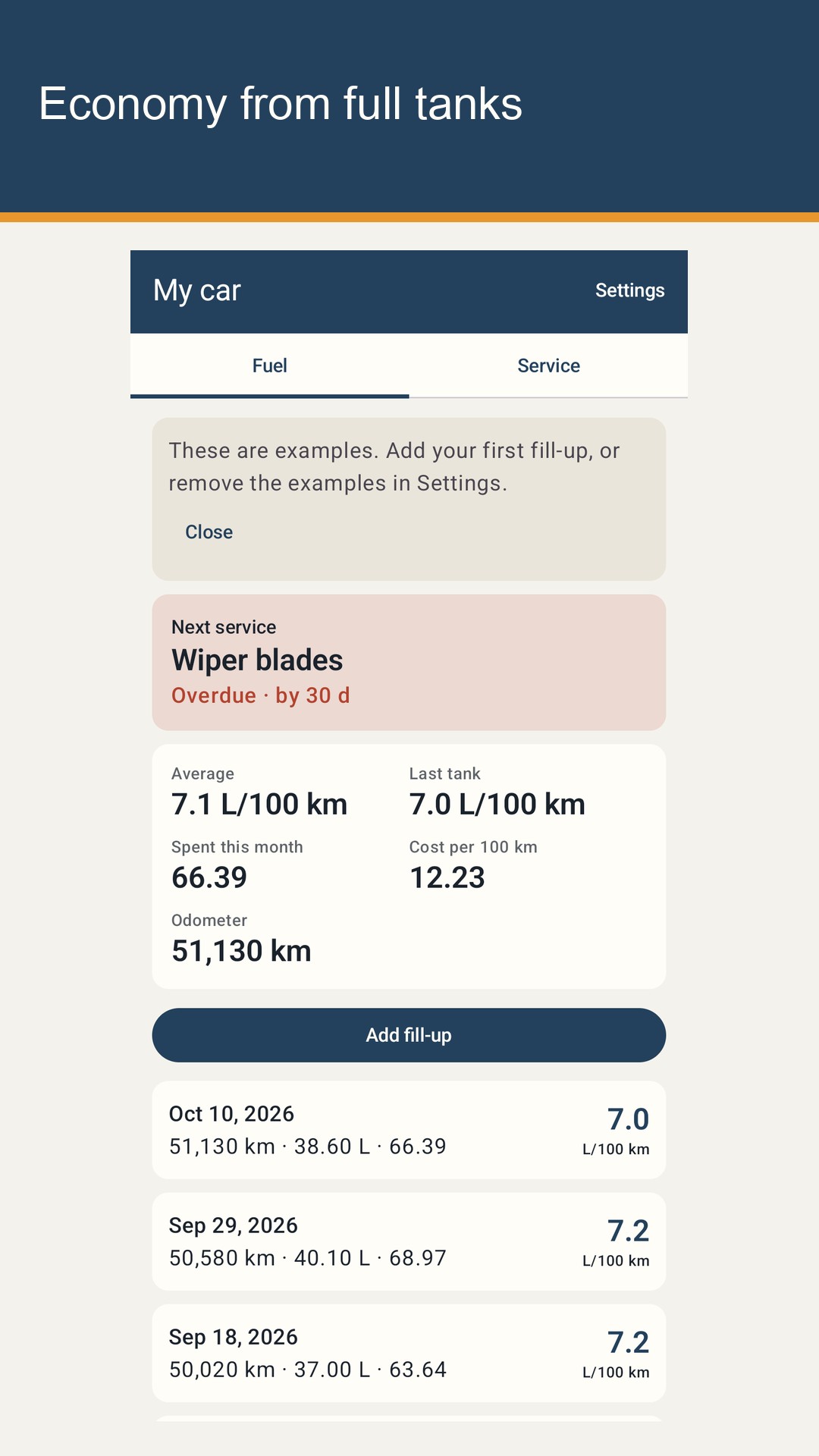
The Fuel tab shows your average and your last full tank, what you spent this month on fuel and service, the cost per 100 km or per mile, and the current odometer. Each fill-up row shows the economy of the tank it closes. A top-up row is marked as not a full tank. Economy appears once there are two full-tank fill-ups.

The Fuel tab shows your average and your last full tank, what you spent this month on fuel and service, the cost per 100 km or per mile, and the current odometer. Each fill-up row shows the economy of the tank it closes. A top-up row is marked as not a full tank. Economy appears once there are two full-tank fill-ups.

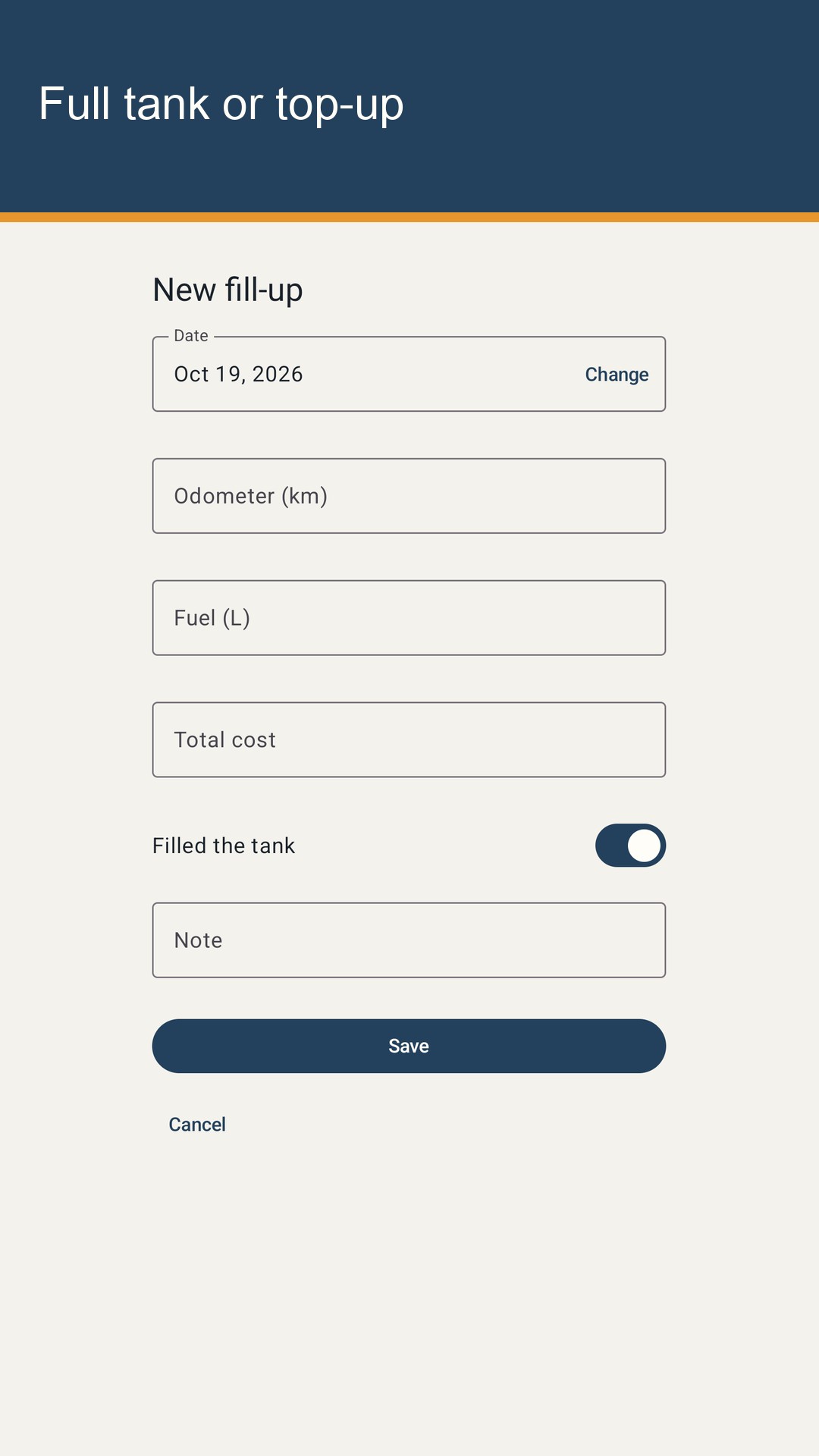
Logging a stop takes a few fields. You can change the date when you enter an older receipt. Readings must keep date order: an earlier fill-up cannot have a higher odometer than a later one, so a typo is caught before it skews your average. Amounts accept a comma or a dot as the decimal mark, with up to two decimals. Tap any row to fix it, or delete it after a confirmation.

Logging a stop takes a few fields. You can change the date when you enter an older receipt. Readings must keep date order: an earlier fill-up cannot have a higher odometer than a later one, so a typo is caught before it skews your average. Amounts accept a comma or a dot as the decimal mark, with up to two decimals. Tap any row to fix it, or delete it after a confirmation.

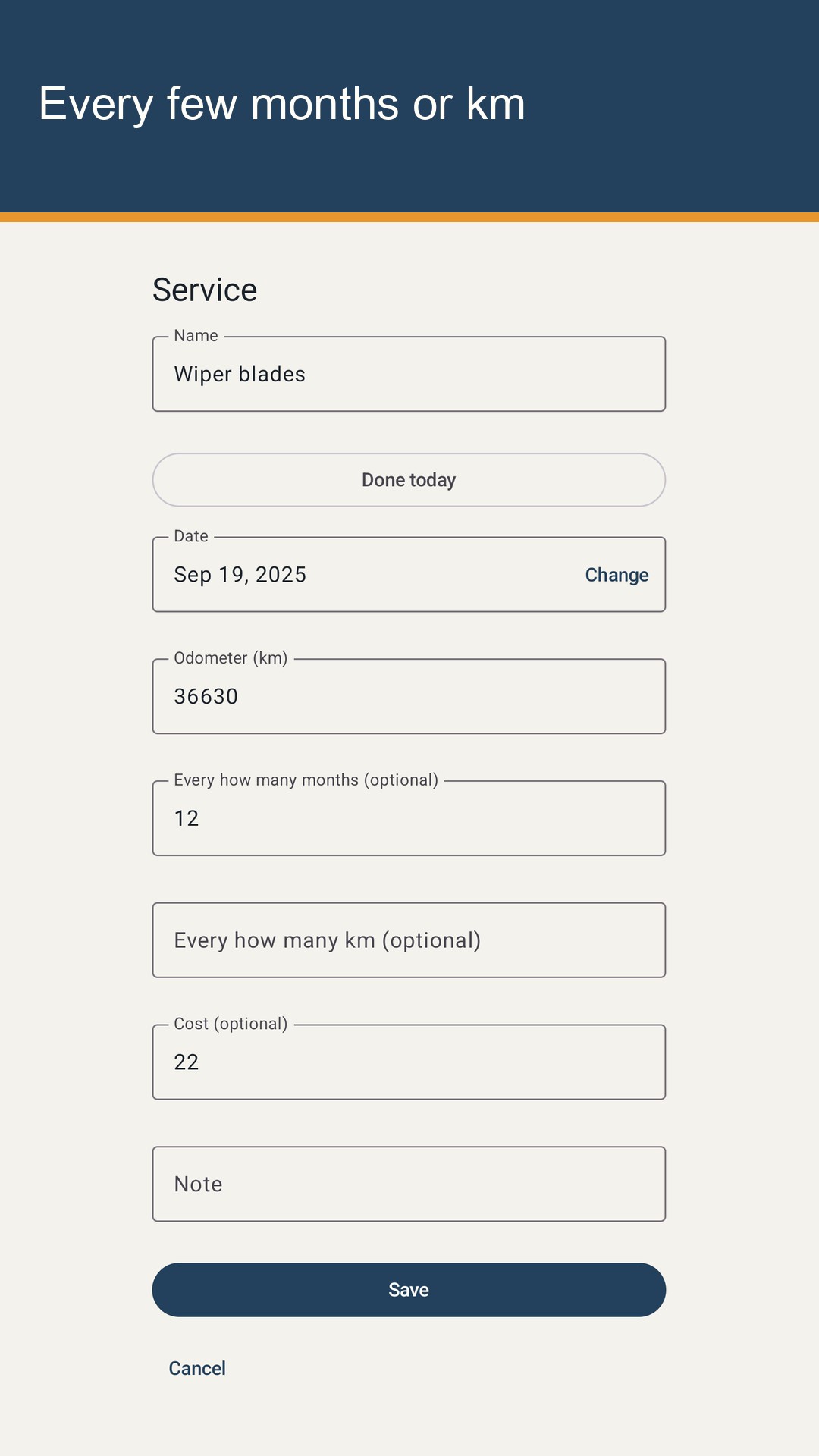
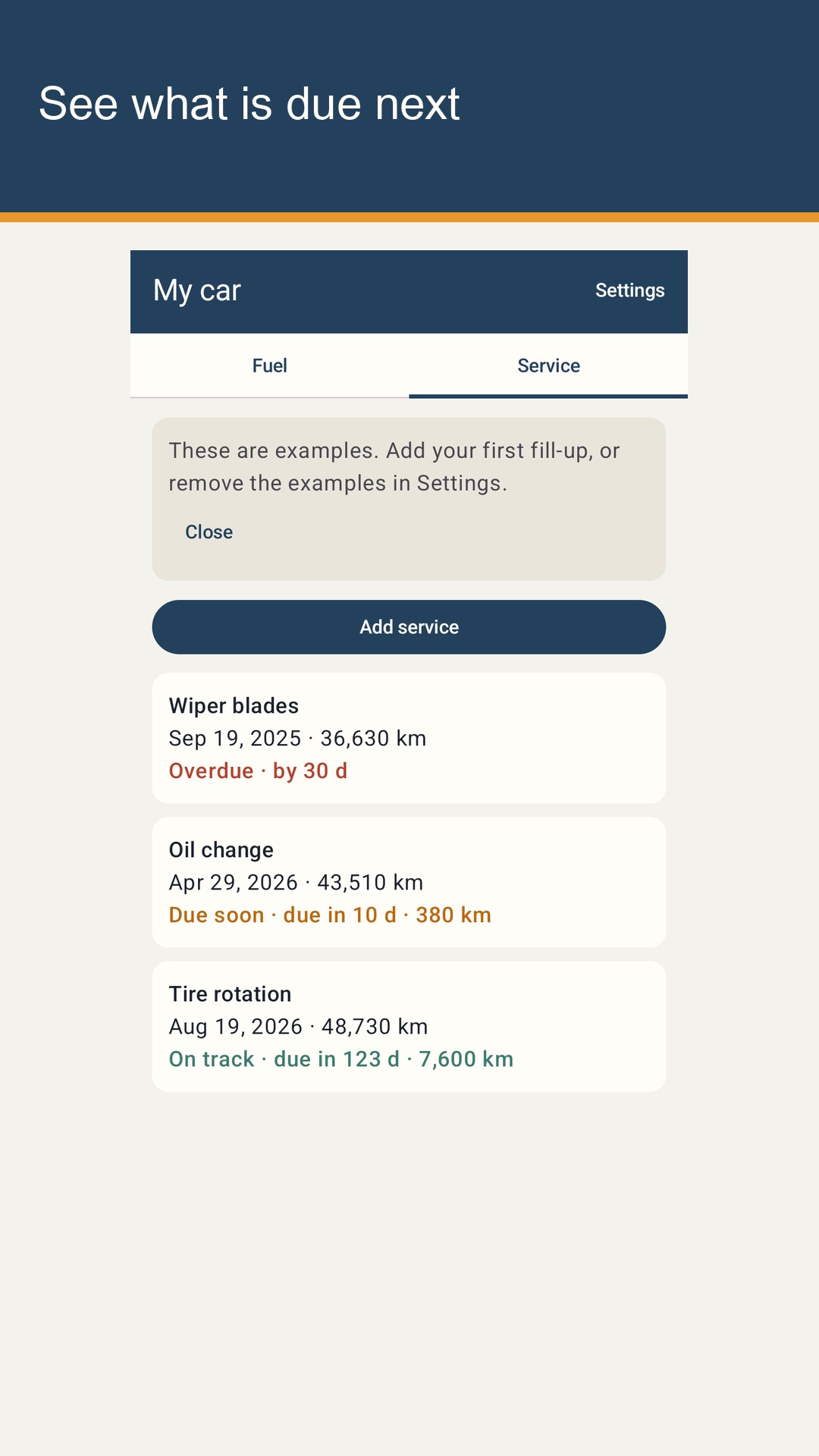
The Service tab keeps jobs such as an oil change, a tyre rotation, or wiper blades. Each one has a date, an odometer reading, an optional cost, and a repeat: every few months, every set distance, or both. Tankrow shows each job as overdue, due soon, or on track. Due soon means within 14 days, or within 500 km (300 mi). Overdue jobs come first, and the most urgent one also sits at the top of the Fuel tab as Next service. When you do the job, open it, tap Done today, then Save: the date becomes today and the odometer becomes your latest reading.

The Service tab keeps jobs such as an oil change, a tyre rotation, or wiper blades. Each one has a date, an odometer reading, an optional cost, and a repeat: every few months, every set distance, or both. Tankrow shows each job as overdue, due soon, or on track. Due soon means within 14 days, or within 500 km (300 mi). Overdue jobs come first, and the most urgent one also sits at the top of the Fuel tab as Next service. When you do the job, open it, tap Done today, then Save: the date becomes today and the odometer becomes your latest reading.
A reminder is optional. When it is on, Tankrow can send a notification around 09:00 the day before a service that is due by date. Jobs due by distance are not notified, because the app cannot read your odometer in the background. They still show on the Service tab. If you decline notification permission, everything else keeps working.

A reminder is optional. When it is on, Tankrow can send a notification around 09:00 the day before a service that is due by date. Jobs due by distance are not notified, because the app cannot read your odometer in the background. They still show on the Service tab. If you decline notification permission, everything else keeps working.

The first launch shows example fill-ups and services, so the numbers make sense before you add your own. A card at the top says these are examples. Remove examples in Settings deletes only the examples and keeps the vehicle.

The first launch shows example fill-ups and services, so the numbers make sense before you add your own. A card at the top says these are examples. Remove examples in Settings deletes only the examples and keeps the vehicle.

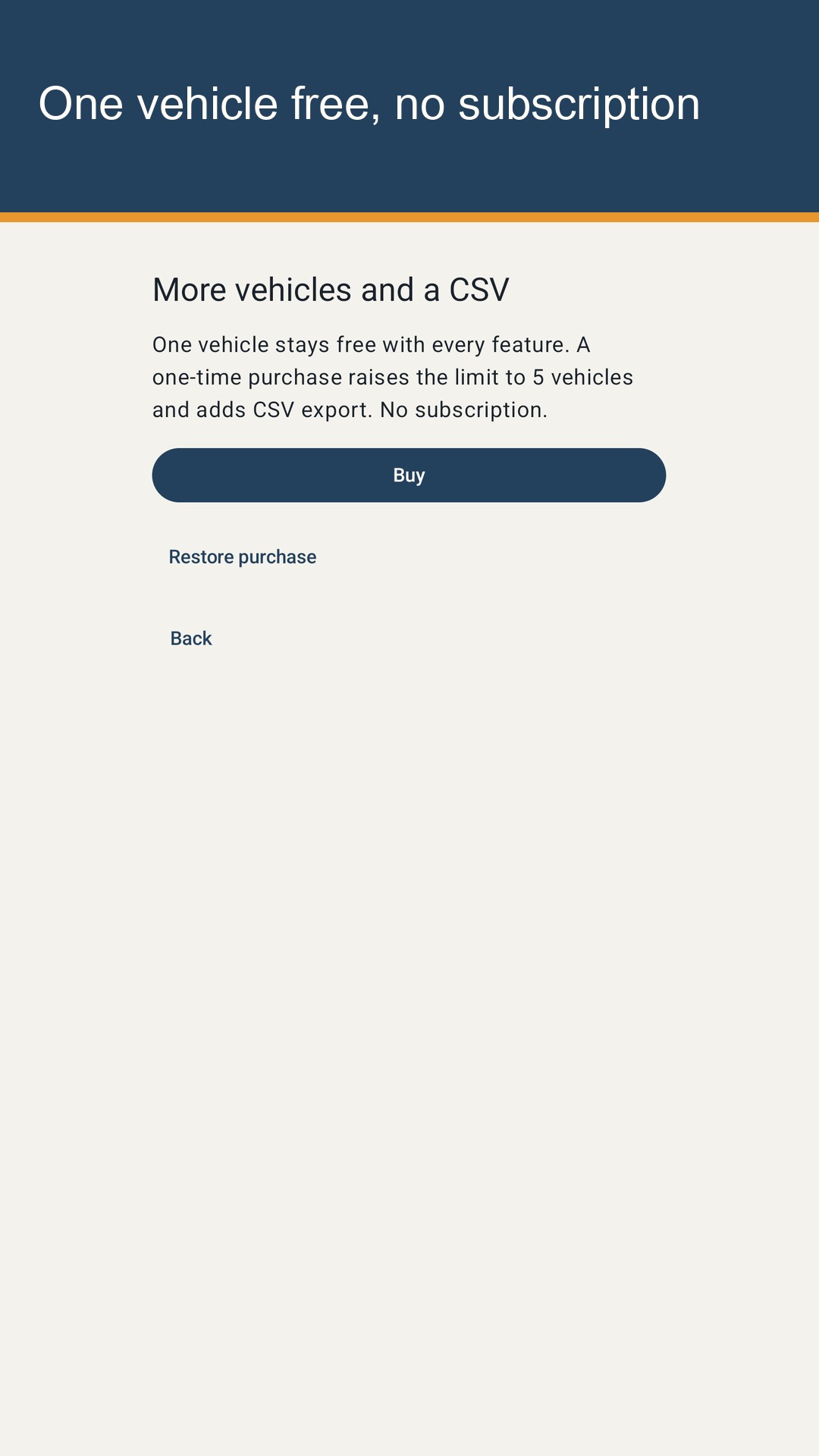
One vehicle is free, with every feature: fill-ups, services, stats, and reminders. A one-time Google Play purchase raises the limit to 5 vehicles and adds CSV export through the Android share sheet. The button shows the price Google Play returns. Restore purchase asks Play whether this account already owns it. There is no subscription and there are no ads.

One vehicle is free, with every feature: fill-ups, services, stats, and reminders. A one-time Google Play purchase raises the limit to 5 vehicles and adds CSV export through the Android share sheet. The button shows the price Google Play returns. Restore purchase asks Play whether this account already owns it. There is no subscription and there are no ads.

From the running app

Tankrow: Fuel & Service Log — 1 Tankrow: Fuel & Service Log — 2 Tankrow: Fuel & Service Log — 3 Tankrow: Fuel & Service Log — 4 Tankrow: Fuel & Service Log — 5

How a session works

Tankrow is a fuel and service log for your car, kept on this phone. At the pump you type the date, the odometer reading, the fuel you put in, and the total cost. Turn off "Filled the tank" for a top-up. Tankrow works out fuel economy with the full-tank method: the distance between two full tanks divided by all the fuel added in between, partial top-ups included. Kilometres show L/100 km. Miles show MPG with US or UK gallons. You pick the units when you add a vehicle.

The Fuel tab shows your average and your last full tank, what you spent this month on fuel and service, the cost per 100 km or per mile, and the current odometer. Each fill-up row shows the economy of the tank it closes. A top-up row is marked as not a full tank. Economy appears once there are two full-tank fill-ups.

Logging a stop takes a few fields. You can change the date when you enter an older receipt. Readings must keep date order: an earlier fill-up cannot have a higher odometer than a later one, so a typo is caught before it skews your average. Amounts accept a comma or a dot as the decimal mark, with up to two decimals. Tap any row to fix it, or delete it after a confirmation.

The Service tab keeps jobs such as an oil change, a tyre rotation, or wiper blades. Each one has a date, an odometer reading, an optional cost, and a repeat: every few months, every set distance, or both. Tankrow shows each job as overdue, due soon, or on track. Due soon means within 14 days, or within 500 km (300 mi). Overdue jobs come first, and the most urgent one also sits at the top of the Fuel tab as Next service. When you do the job, open it, tap Done today, then Save: the date becomes today and the odometer becomes your latest reading.
Questions

How does Tankrow calculate fuel economy?

With the full-tank method. Economy is the distance between two full-tank fill-ups divided by the fuel added in between, including any top-ups. It appears once there are two full-tank fill-ups. A top-up never closes a tank on its own.

When is a service due?

You set an interval in months, in distance, or both. Tankrow shows Overdue, Due soon, or On track. Due soon starts 14 days before the date or 500 km (300 mi) before the distance, whichever comes first.

Where is the log stored?

In a local file on this phone. There is no account and no cloud copy. Android backup is off. Uninstalling removes the log. A new phone does not receive the old log.

What is free?

One vehicle is free with every feature, including the optional day-before reminder. There are no ads and no subscription. A one-time purchase raises the limit to 5 vehicles and adds CSV export. Google Play shows the price on the button.

Apps you can open today